> For the complete documentation index, see [llms.txt](https://docs.blackbox.chat/blackbox-ai-1/llms.txt). Markdown versions of documentation pages are available by appending `.md` to page URLs; this page is available as [Markdown](https://docs.blackbox.chat/blackbox-ai-1/website/ai-chat/custom-ai-agents.md).
# Custom AI Agents
Create custom AI agents tailored to specific domains
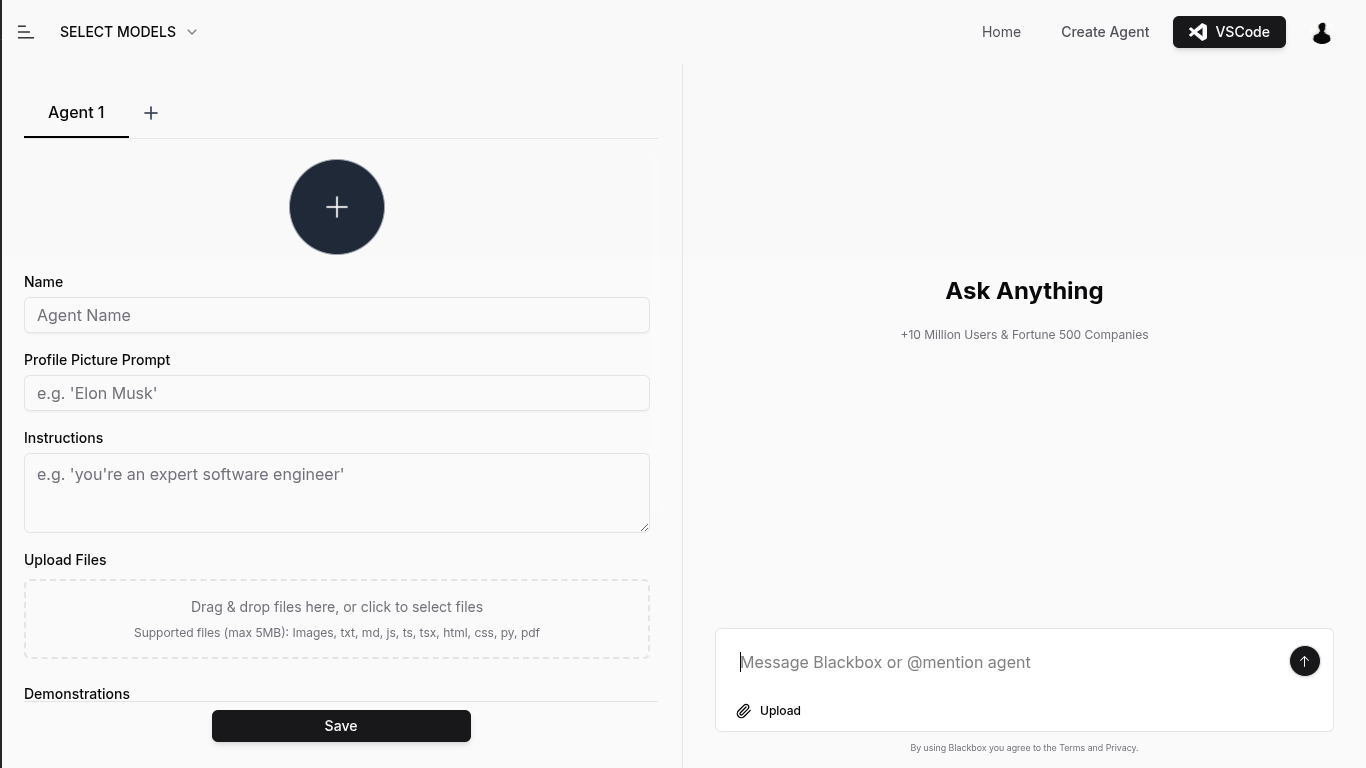
BLACKBOX AI Web Chat - Custom AI Agent Creation
Custom AI agents in BLACKBOX allow you to create specialized assistants that excel in specific domains like coding, research, or content creation. These agents can be configured with domain-specific knowledge and constraints to deliver more focused and accurate results. By leveraging custom AI agents, you can optimize your workflow and achieve better outcomes for specialized tasks.
### Creating Your Own Agent
You can go here to start creating your agent!
#### Name & Picture
You can give your agent a name and a profile picture to keep managing multiple agents easy.
#### Instructions
Instructions are where you define your agent's core capabilities, knowledge, and behavior. This is where you can specify the agent's expertise, communication style, and any constraints it should operate within. Well-crafted instructions ensure your agent delivers consistent and targeted responses for your specific use case.
#### Knowledge Files
Knowledge files allow you to upload documents, code, or other resources that provide your agent with specialized knowledge. These files serve as a reference database that the agent can draw from when responding to queries. By adding relevant knowledge files, you can ensure your agent has access to accurate, domain-specific information.
#### Demonstrations
Example conversations between users and the agent that demonstrate its response style and communication patterns.
#### Web Search
You can give your agent access to real-time data from the internet by enabling web search. this can help your agent stay up-to-date on latest updates and news.
#### Visibility
You can choose to keep your agent private or make it public. if the agent is public you can share its link with anyone and they’ll be able to use it.
#### Using Your Agent
Once your agent is created you can start talking with it or mention it in the main chat using `@`
.png?alt=media&token=0efb4982-f6f0-405a-b9f8-f3481e5f99a4)